A list of hotkeys are shown when you click on the keyboard button on the top right toolbar. The hotkeys allow you to customize your visual experience while the visual feed is running, so you don’t have to stop the visuals.
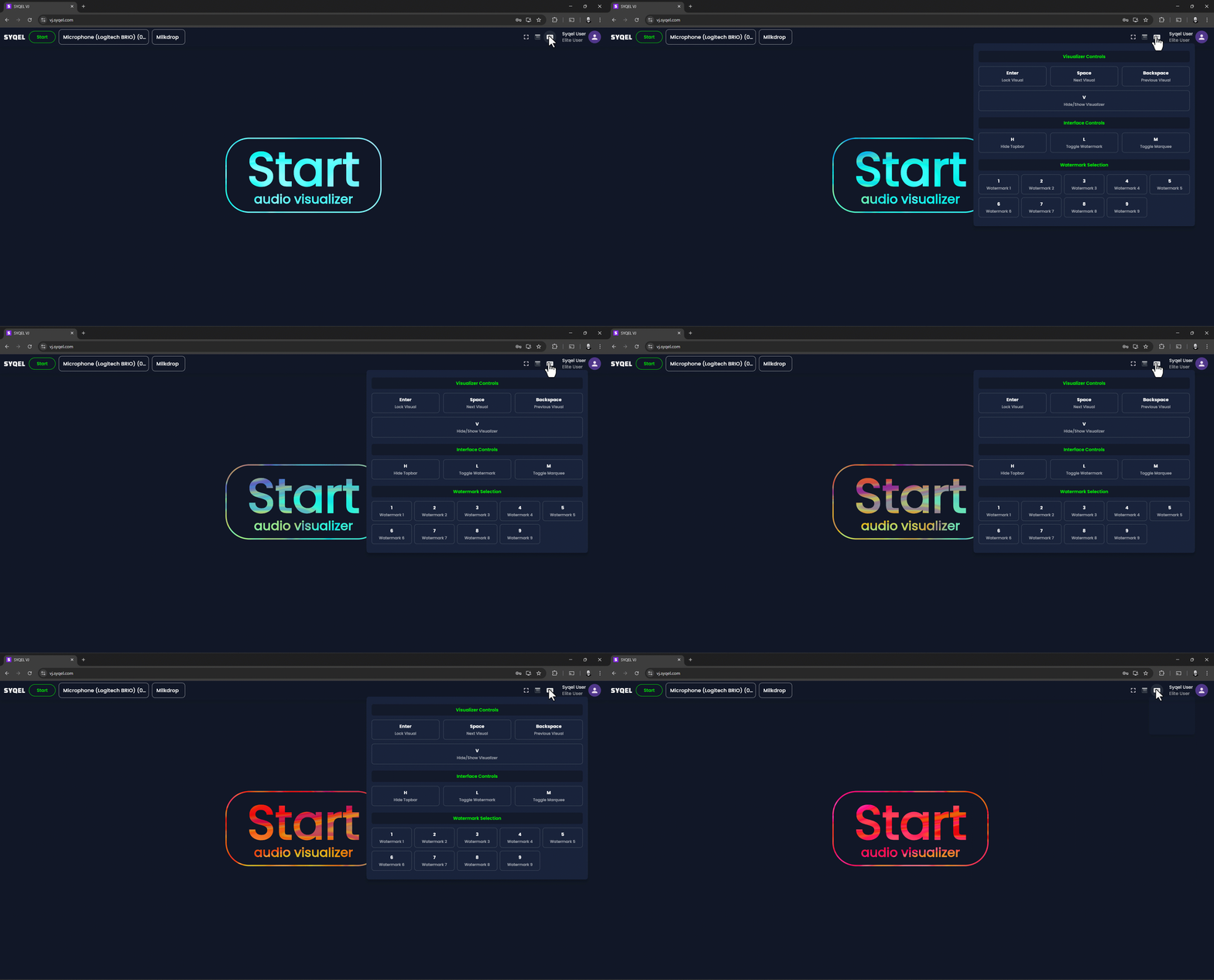
1: “Enter” toggles the visualizer between automatic and manual modes. Making it so the visualizer either goes through the visuals automatically or locked on each visual, effectively requiring you to switch between them manually by clicking space or backspace.
2: “Spacebar” will continue to your next visual in your playlist. Clicking on space will advance the visualizer to display the next visual regardless if you are in automatic or manual mode.
3: “Backspace” will go back to your previous visual in your playlist. Clicking on backspace will go back to the previous visual regardless if you are in automatic or manual mode.
4: “V” will hide the visuals with a black screen, clicking it again will show the visuals again
5: “H” will hide or reveal the top bar.
6: “L” will toggle your watermarks on or off.
7: “M” will toggle the marquee on or off
8: “0–9” will activate the associated watermark you uploaded. Be sure to first click on “L” to activate the watermarks as a whole.