You can download SYQEL Desktop for Mac by clicking on this link.
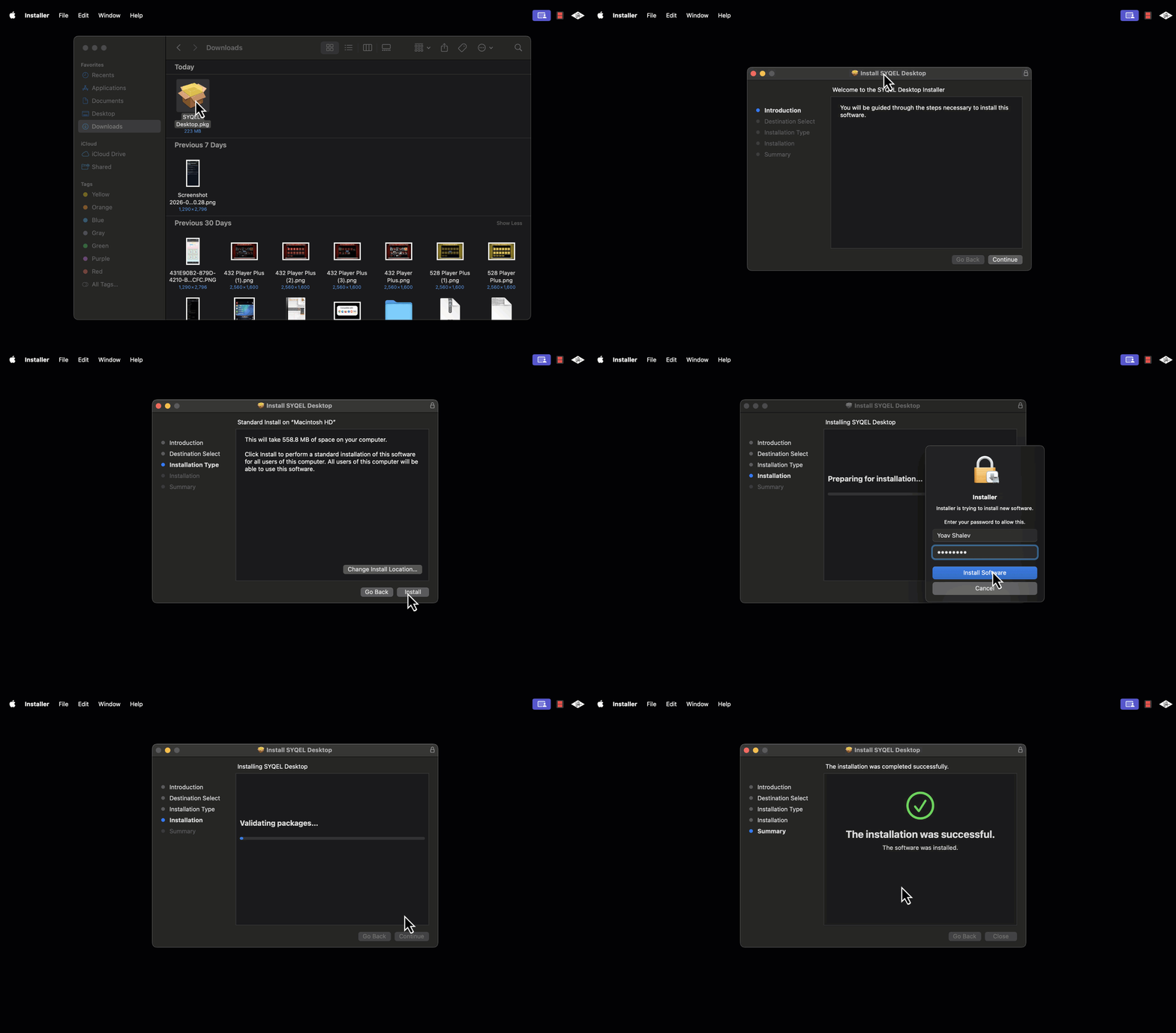
Then, double click the downloaded file and follow the installer steps:
After installing the app, you should be able to find it within your Application folder
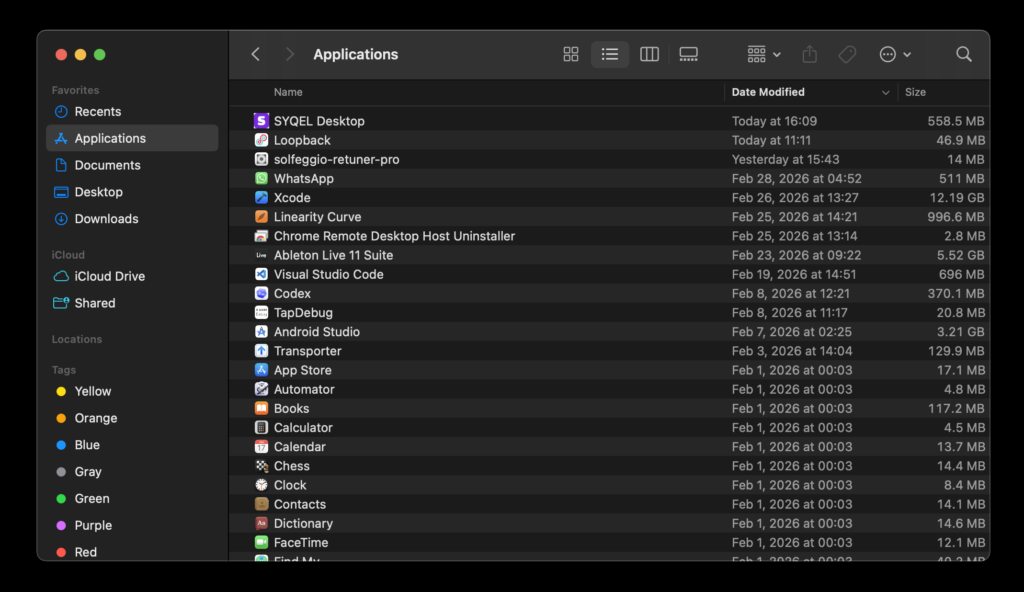
Double click the Application logo to open SYQEL Desktop. Once opened, we recommend pinning it to your Dock.