After downloading SYQEL-Desktop.pkg from our website, locate it within your downloads folder.
Then, open the file and run the application installer.
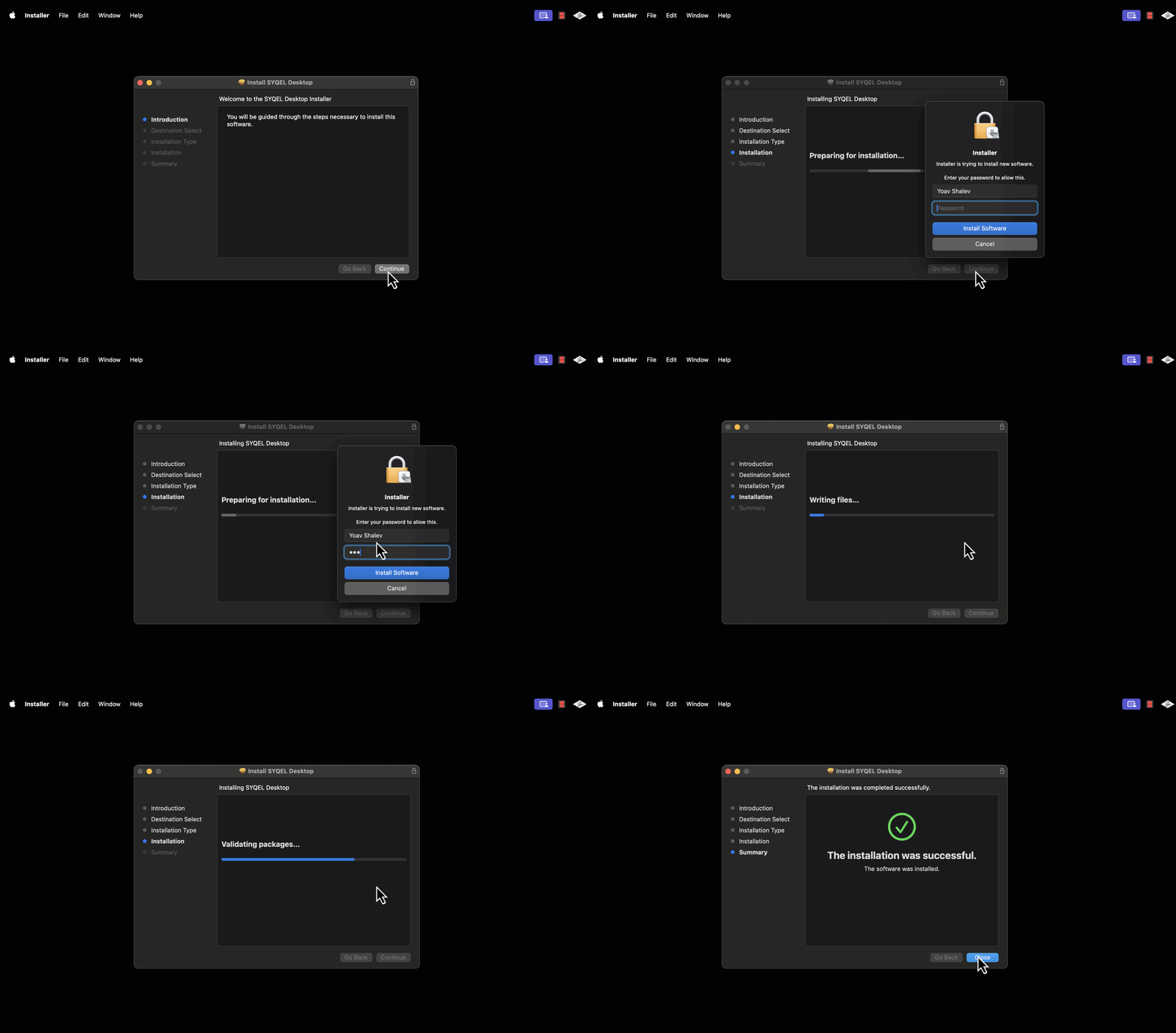
Once installed, you should be able to find the app within your Applications folder.
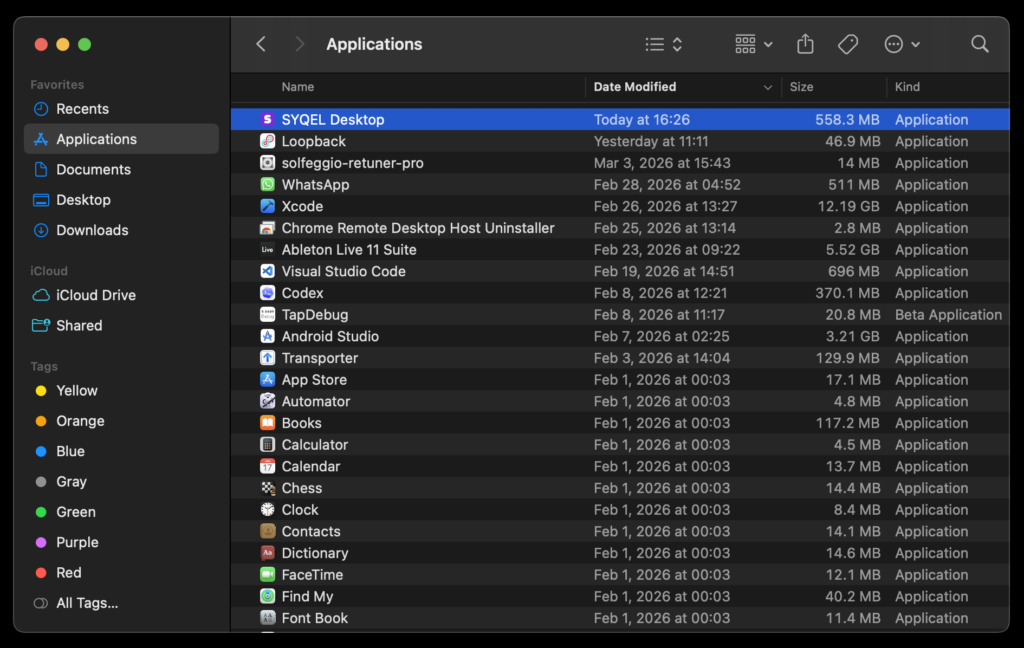
Next, click on the SYQEL Desktop application icon to launch the app.
Once opened, we recommend pinning the app to your Dock so you can easily access it anytime.